Recover. Train. Study.
Built for
the comeback.
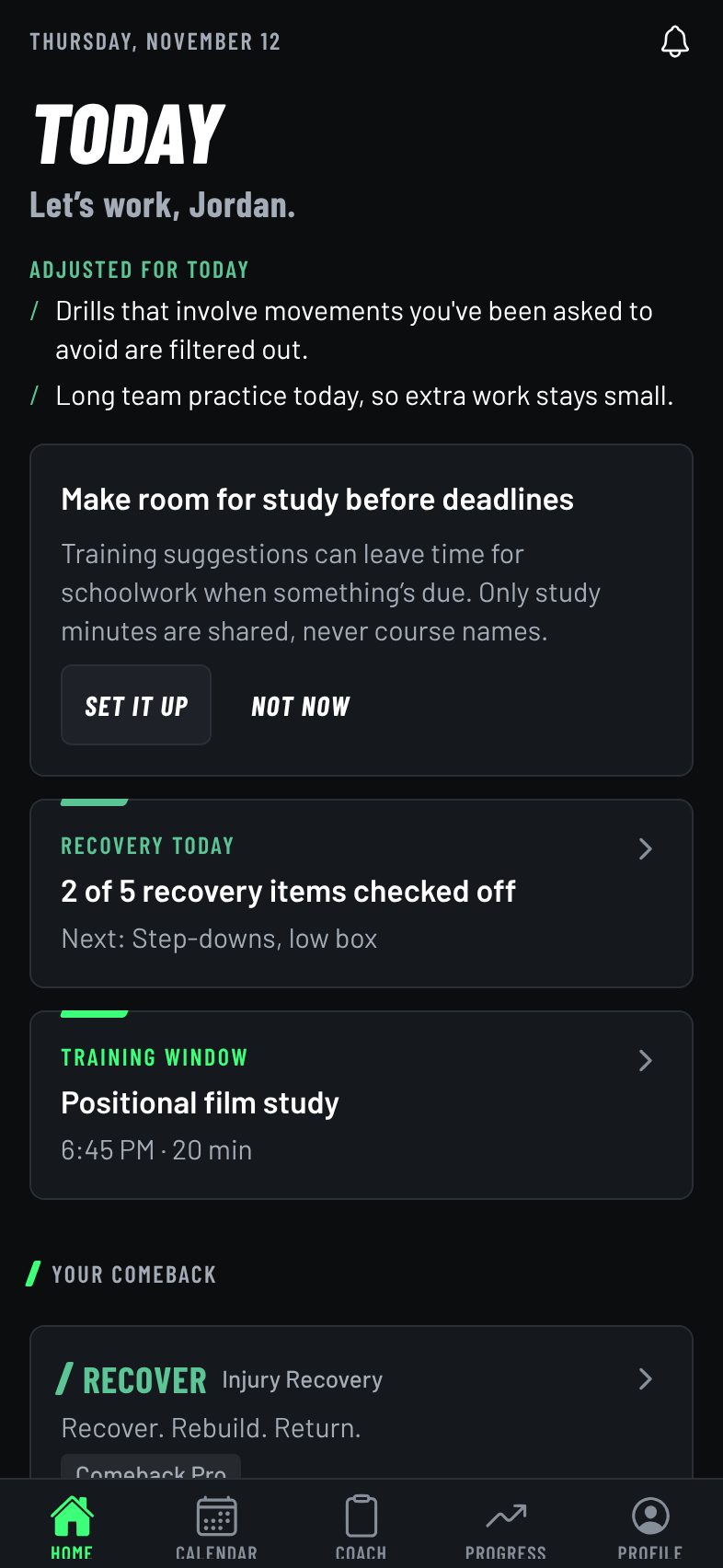
A daily rehab plan from your PT's program, training that fits your real schedule, and help keeping up in class. One app. Use one part or all three.
For iPhone. Free to start, for athletes 13 and older.
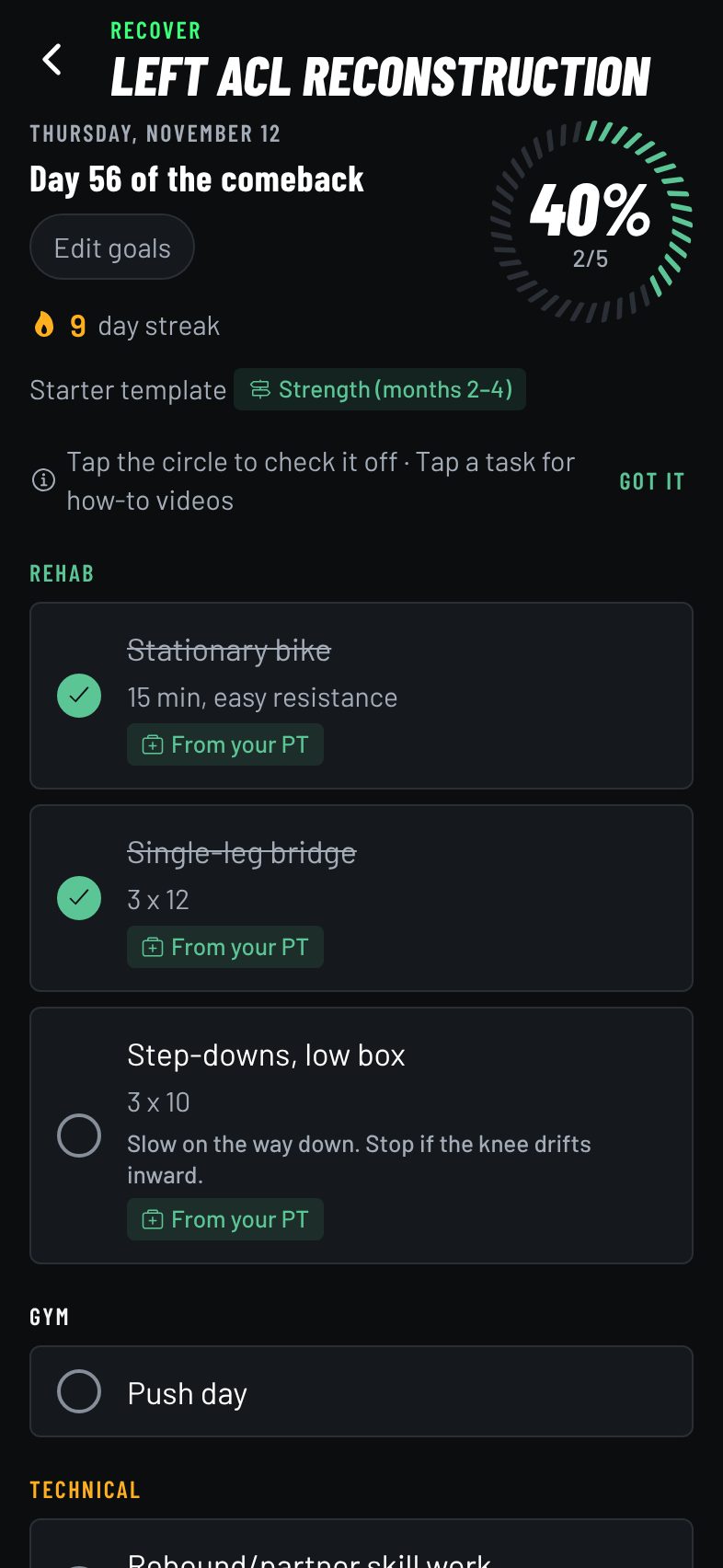
Recover
Your PT's plan,
one day at a time.
Turn what your physical therapist or athletic trainer gave you into a daily checklist. Tap a task for how-to videos, check in on pain and progress, and hit milestones on the way back.
- The coach drafts today or your whole week, inside your limits Coach
- Daily check-ins: pain, swelling, confidence and sleep Track
- Milestones, benchmarks and stories from athletes who came back Motivation
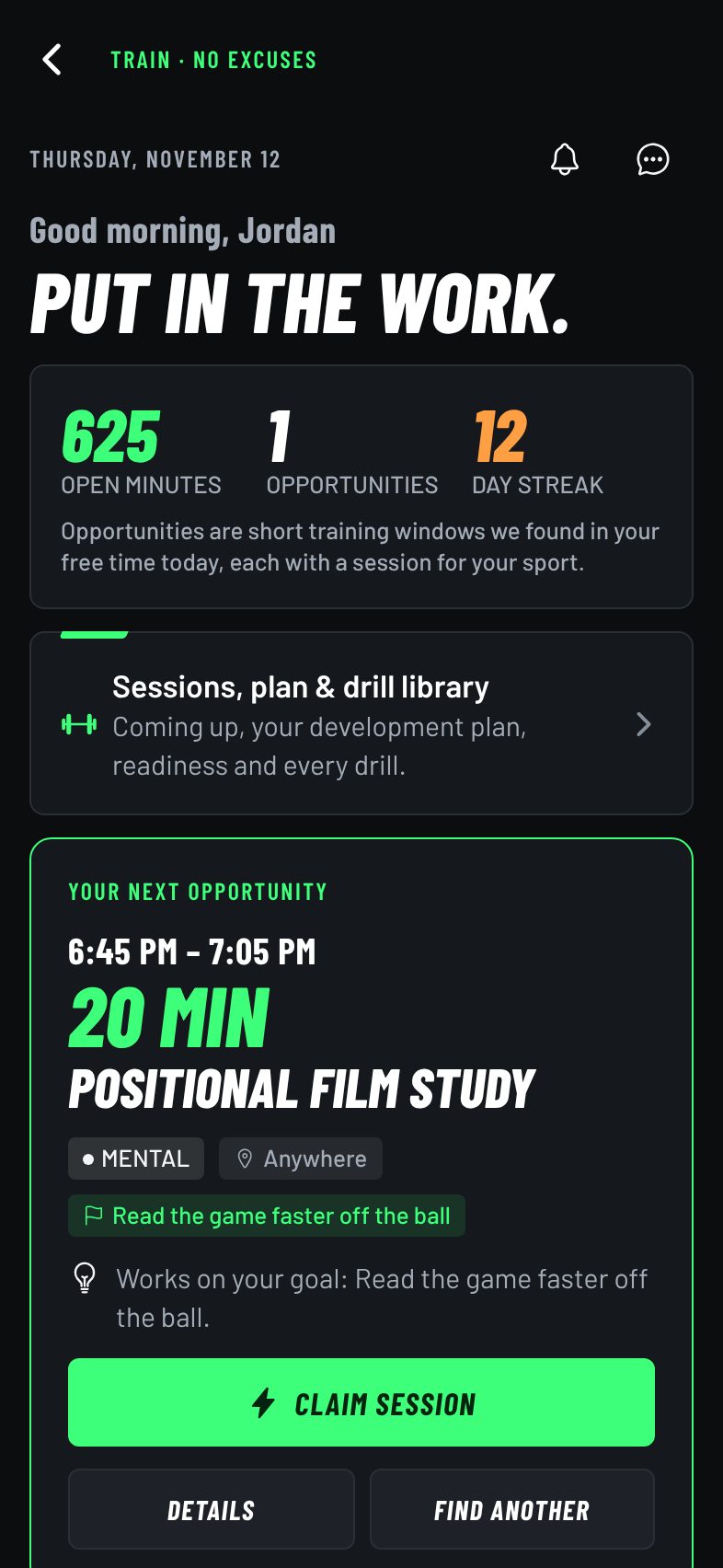
Train
Find the time
you already have.
Add your classes, practices and games, or sync the calendars on your phone. Comeback finds the open windows and fills them with short sessions built for your sport and position.
- Never stacks hard work right after practice or before a game Smart
- 50+ drills across 16 sports, with coaching cues Drills
- A quick readiness check-in keeps each day realistic Recovery
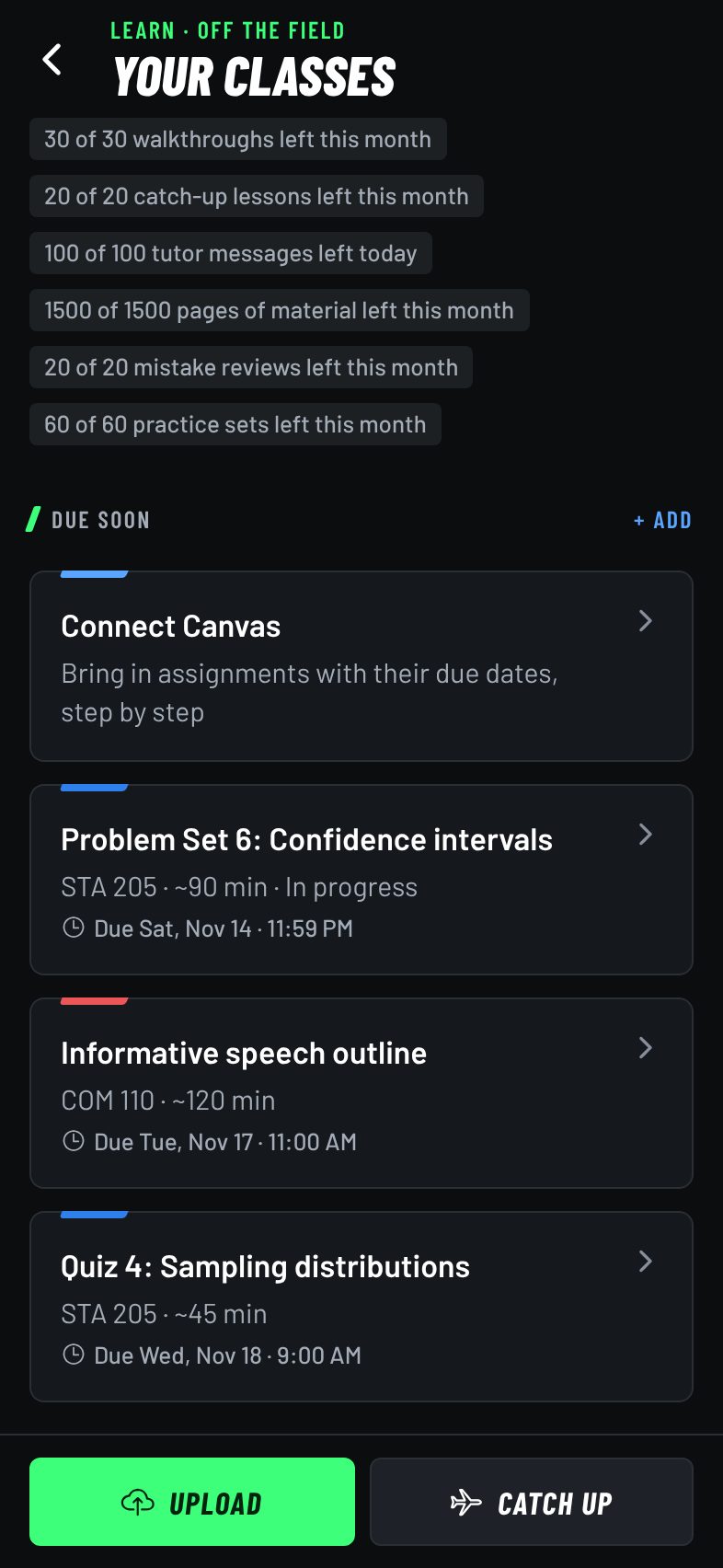
Learn
Keep up in class,
even on the road.
Add your courses and assignments, or bring them in from Canvas. Upload notes or a syllabus to get study guides, practice questions and a tutor that teaches without doing the work for you.
- Catch-up plans for classes you miss while traveling Travel
- Follows each course's AI policy Integrity
- Due dates, a focus timer and a mistake log Study
Coach and teams
A coach in your pocket.
A team behind you.
Coach
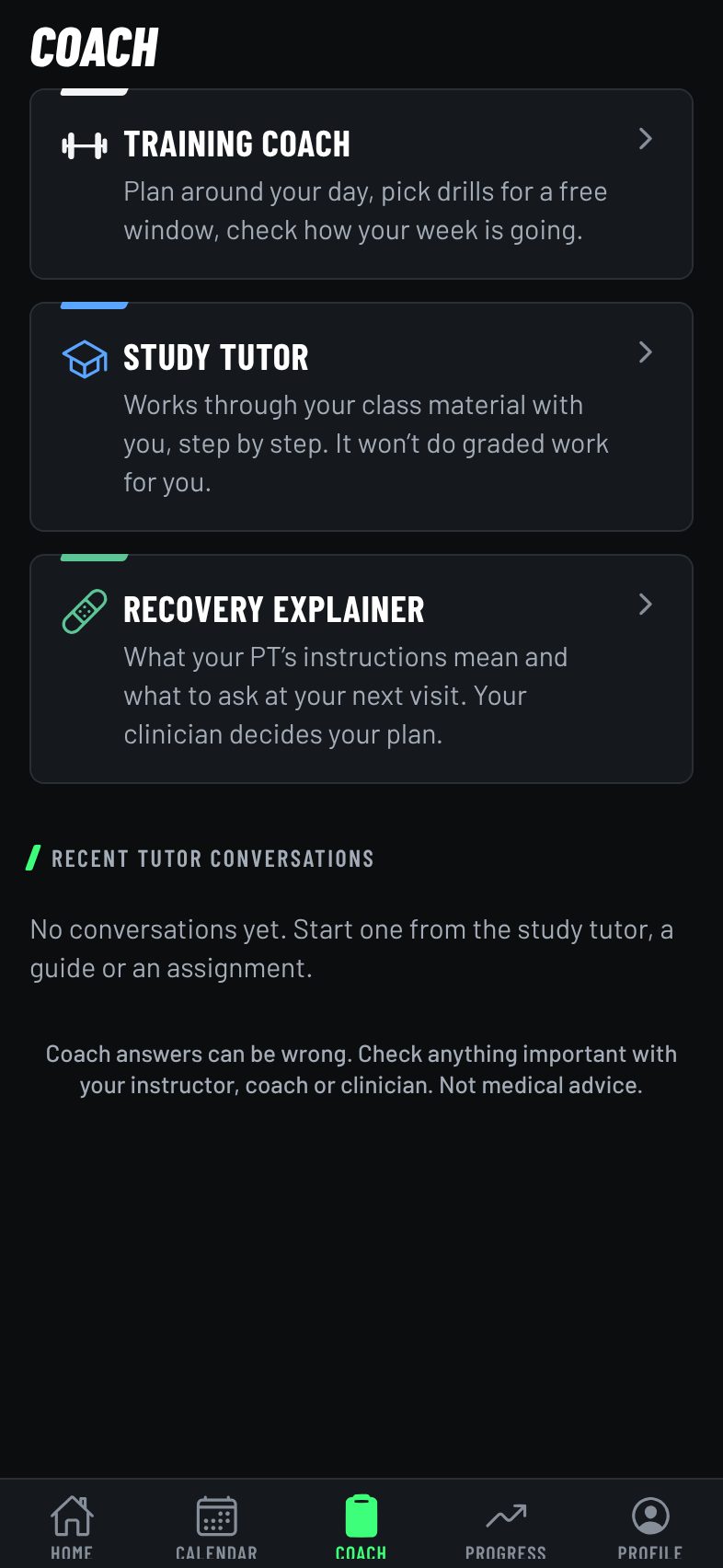
Ask about your day, a drill or what your PT's instructions mean. Answers stay inside your limits, and anything about pain points you to a real professional.
Teams
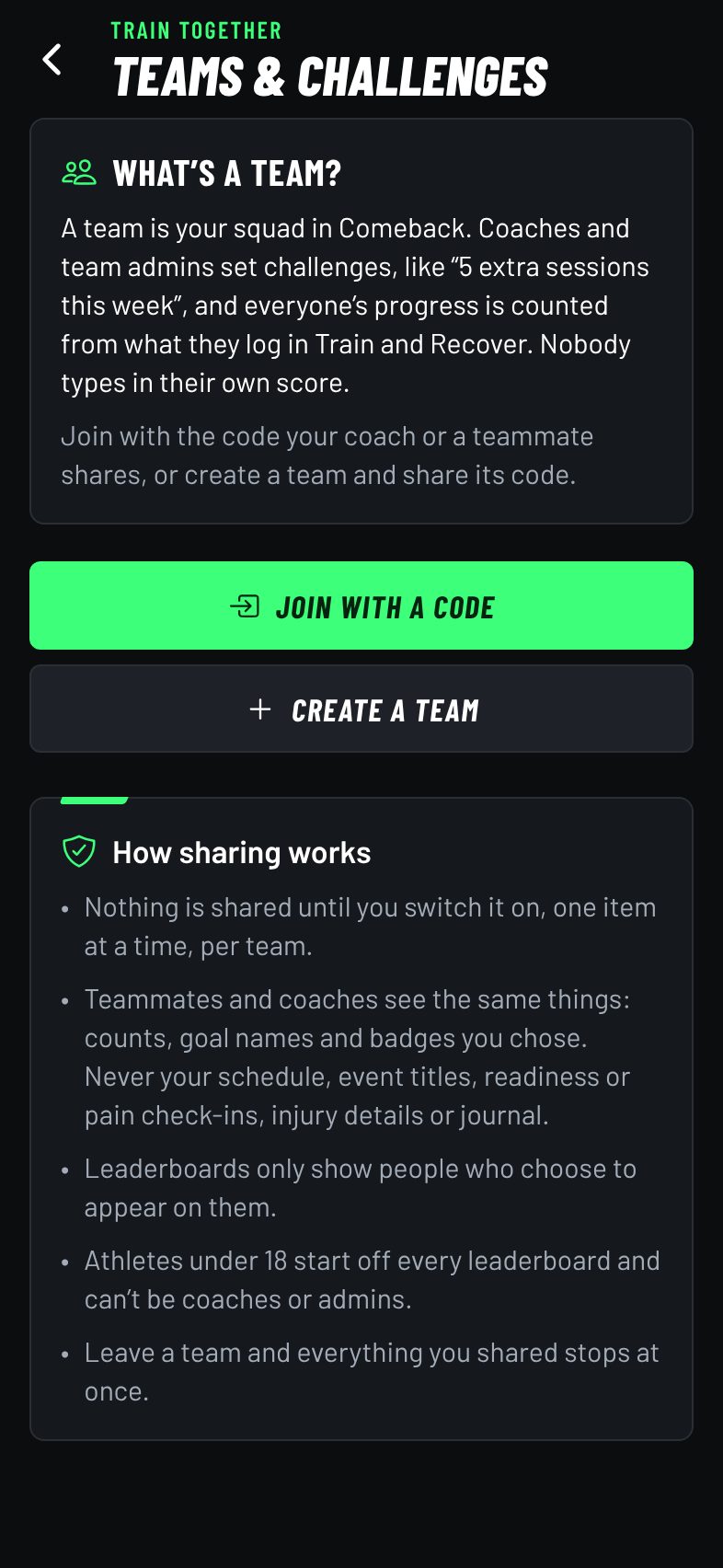
Join your team with a code, take on challenges together, and choose exactly what teammates see. Injury details, schedules and check-ins are never shared.
How it works
Three steps.
Then get to work.
Pick your parts
Turn on Recover, Train, Learn or all three. Home shows only what you use.
Add your plan
Your PT's program, your classes and practices, your courses. Type it in, snap a photo or sync.
Show up, check in
Check off today, log how it felt, and Comeback adjusts tomorrow around how you're doing.
Comeback Pro
Free to start.
Pro when you're ready.
The free plan works on its own. One Pro subscription takes the limits off Recover, Train and Learn.
- Recover: daily checklist, check-ins, milestones and stories; 3 coach day plans a month
- Train: 3 training windows a day, 1 synced calendar, 7-day plans
- Learn: 2 study walkthroughs a month, 15 tutor messages a day
- Teams and challenges
- Recover: unlimited day plans, week plans, and more questions for the explainer
- Train: unlimited windows, up to 10 calendars, plans up to 12 weeks
- Learn: 30 walkthroughs a month, 100 tutor messages a day
- Everything in Free
- Recover: unlimited day plans, week plans, and more questions for the explainer
- Train: unlimited windows, up to 10 calendars, plans up to 12 weeks
- Learn: 30 walkthroughs a month, 100 tutor messages a day
- Everything in Free
Prices in US dollars. The free week is for new subscribers to the yearly plan; cancel before it ends and you aren't charged. Subscriptions are sold through the App Store and renew automatically until you cancel in your iPhone's Settings.
FAQ
Before you start
Is Comeback medical advice?
No. Comeback organizes the plan your physical therapist, athletic trainer or doctor gave you and suggests general training. It doesn't diagnose anything or clear you to play. Your clinician's plan always comes first, and if something hurts, stop and talk to them.
I already use Comeback: Injury Recovery. What happens?
Comeback 2.0 is an update to the same app. Same account, and your recovery plan, progress and Pro subscription come with you. Train and Learn are new; turn them on if you want them.
Does it work for my sport?
Yes. You pick your sport and position during setup, and drills, plans and the coach's suggestions are built around them.
Do I have to use all three parts?
No. Each part works on its own. Turn on only what you need, and change it anytime in Profile.
Who can use Comeback?
Anyone 13 and older. Athletes under 18 can use everything except posting community stories, creating teams and invite rewards, and they start hidden on challenge leaderboards.
What does the AI see?
Only what each feature needs, and never your name or email. AI features are off until you allow them, and our AI provider doesn't train its models on your data. The Privacy Policy lists exactly what's sent.
Can my coach or teammates see my data?
Only what you switch on in a team: training counts, goal names and achievements. Your injury details, schedule, check-ins and journal are never shared.
Is there a free trial?
Yes. The yearly plan starts with a free week for new subscribers. Cancel in your iPhone's Settings before the week ends and you aren't charged. The free plan keeps working either way.
How do I cancel Pro?
Pro is sold through the App Store. Open your iPhone's Settings, tap your name, then Subscriptions, then Comeback. You keep Pro until the end of the period you paid for.
How do I delete my account?
In the app, go to Profile, then Delete account. Everything is deleted. Deleting the app or your account doesn't cancel a subscription, so cancel that in Settings first.
Get Comeback
Your comeback
starts today.
Free to download on iPhone. Search "Comeback" on the App Store, or tap below.
Get it on the App Store